
Overview
Lightcone Lab turns JupyterLab into a workbench for exploring and working on ASTRA projects.
Lightcone Lab is a JupyterLab extension for ASTRA projects. It shows a project's results, the decisions behind them and the papers they cite, traces each result back to the run that made it, and lets you work with an agent beside the analysis. The Lightcone CLI runs the analysis and records its provenance; Lab shows what it recorded.
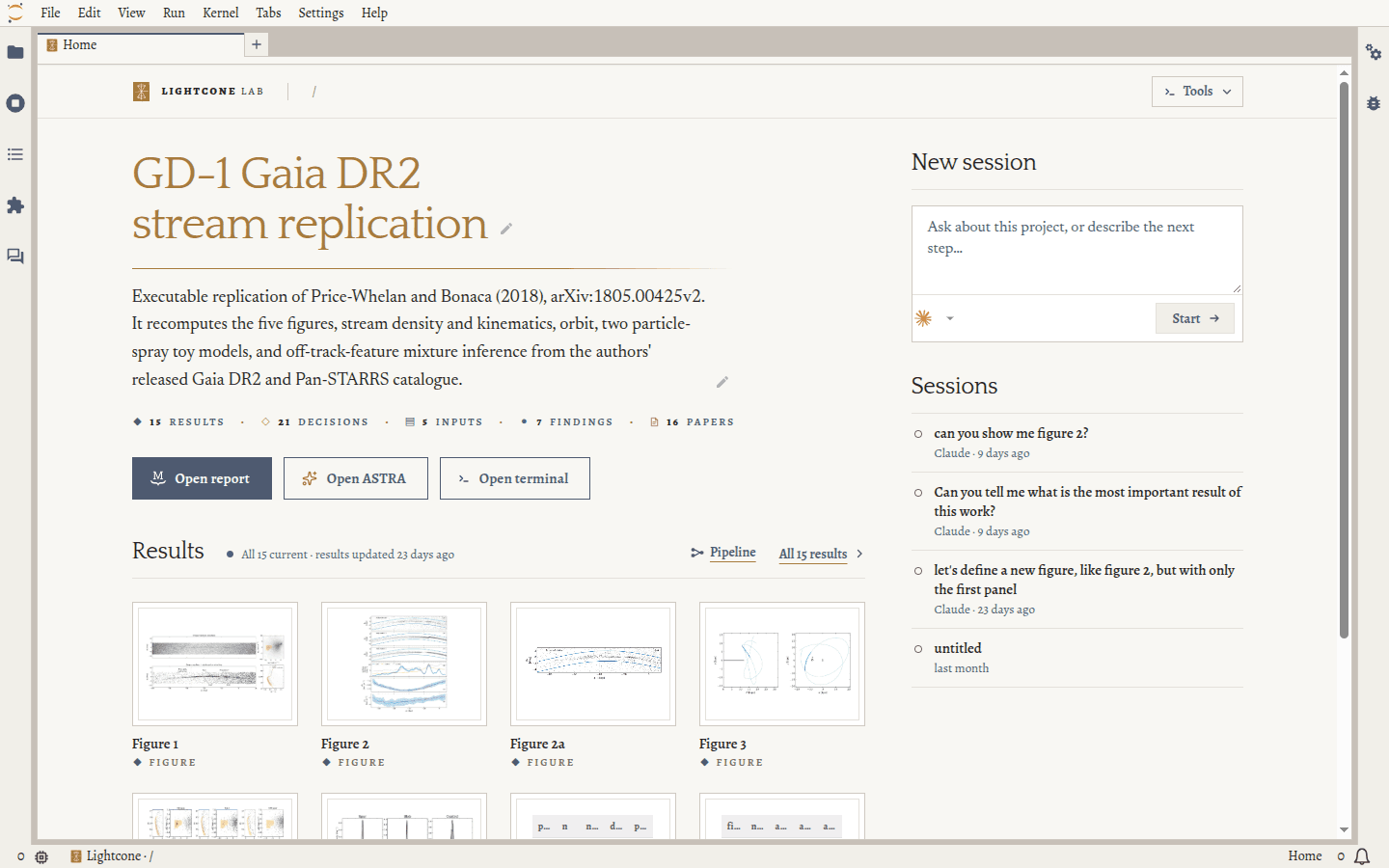
Lab works on the project the file browser is in. Browse into a folder that holds an astra.yaml, and
the launcher tab becomes the project's Home: its title and description, its latest results, and a
way to start an agent.
What it shows
In both installs, in the browser:
- Home: the project's title page and latest results, with an agent or a terminal in the project folder one click away.
- Inventory and pipeline: the analysis's outputs, decisions, inputs, findings and cited papers, with previews of figures and tables, and what feeds each result and what depends on it.
- Papers: each cited paper, opened at the quoted passage.
- Search: Ctrl/⌘+K across records, files and commands.
With the full install, the Jupyter server adds:
- Agent sessions in Jupyter AI, started at the project root, which show results as cards and list what each reply changed.
- Freshness and provenance:
each result's
lc status, the code, inputs and environment behind it, and its committed versions, side by side. - Comments on figures, text and papers, which reach the agent with your next message.
- Report preview of the project's MySTRA report.
How it fits the stack
- ASTRA: Lab reads the project's
astra.yaml. Opening a project starts no kernel and changes no file. - Lightcone CLI: Lab sets up new projects with
lc init, and shows the freshness, run records and versions thatlcrecorded. It never runs a recipe; you or your agent runlc. - Agent Skills: the claude and codex buttons on Home start the agent in
a terminal in the project folder, where the
lightconeplugin works as in any terminal. - MySTRA: with the full install, Lab previews the project's report in a tab.